Employees are all shapes and sizes, and it is essential that they are all supported in their workspace. Making sure that equipment is suitable, no matter whether an employee is tall or short, is commonly overlooked, usually due to the provision of standardised equipment.
In this post, we explain different ergonomic challenges that specifically tall or short employees may be facing, and how to overcome these to improve their comfort in the workplace. Ensuring the correct ergonomic setup for tall and short employees is crucial for employee well-being and productivity.
Ergonomic challenges for taller staff
Tall users often experience discomfort at their workstation because standard office furniture is typically designed for average-height proportions. This means it isn’t suitable for those with longer limbs or higher eye levels. These are some of the most common issues we come across with tall employees’ workstations:
- Standard desks are 73cm tall, which doesn’t suit those over 6ft, as their legs may hit the desk, which can cause discomfort and hip strain if the pelvis is not positioned correctly
- Standard adjustable chairs may not have a seat slide that is an appropriate depth, meaning tall users may experience reduced thigh support, causing increased pressure on the sitting bones and lower back strain
- Taller employees may have broader shoulders, so they may feel cramped leaning in to use standard keyboards, which can lead to upper back pain due to shoulder strain
- If screens aren’t at the correct height, with the top of the screen at eye level, then taller employees may look down to their screen, which can cause neck tension and upper back pain
Ergonomic challenges for shorter staff
Short users may be forced into uncomfortable positions if desks and chairs are too high, which can lead to strain, fatigue, and reduced comfort over time. These are some of the most common issues we come across with short employees’ workstations:
- Standard office chairs may not have a gas lift that goes low enough, meaning short users’ feet may not touch the floor, which can cause users to sit forward and experience back strain
- Standard desks are 73cm, which may be too high; this can lead to shoulder tension as elbows are raised higher than they should be
- Short employees may have to look up at their screen if the height cannot be adjusted, which can cause neck tension and upper back tension due to looking up for long periods of time
- Overreaching to use the keyboard and mouse can further exacerbate shoulder and arm discomfort
Solutions to support employees of all heights
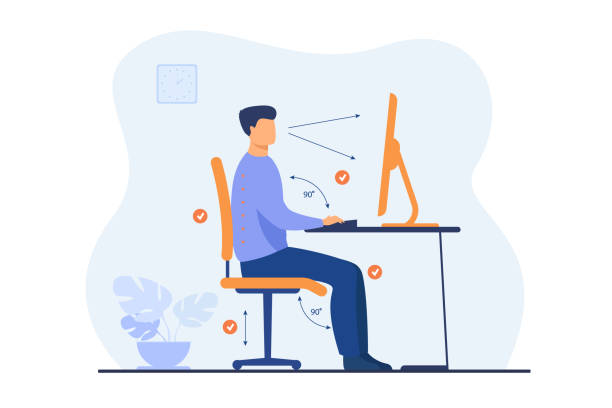
One of the most effective ways to support users of all heights is to invest in height-adjustable desks for your employees. These allow the desk surface to be lowered or raised to suit every individual so that they can maintain a neutral arm position no matter their height. Height-adjustable desks also have further benefits, such as allowing employees to vary their posture between sitting and standing throughout the day, which can help to relieve discomfort that may be experienced due to prolonged sitting.
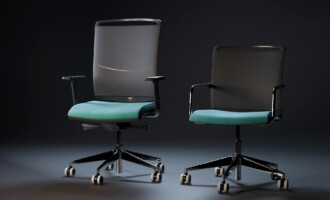
Providing highly adjustable ergonomic office chairs is an equally important way of supporting all employees. Ergonomic office chairs should have a wide range of seat depth adjustment, alongside adjustable back and arm supports. These measures ensure that short users can sit with their feet flat on the floor, and that tall users receive adequate thigh and back support. A correctly adjusted chair helps maintain correct posture, reducing strain on the lower back and promoting long-term comfort.
Accessories should be considered a standard part of the workstation and should not be forgotten. Footrests play a vital role for shorter users by providing underfoot support when the chair height is raised to achieve the correct desk height. This helps improve posture, circulation, and overall sitting stability.
Monitor risers or adjustable monitor arms should also be provided as standard, allowing screens to be set at the correct height for each individual. Proper screen positioning helps minimise neck strain for both tall and short employees and supports a neutral head and neck posture throughout the working day.
Need more advice?
Check out our DSE Masterclass Series on YouTube to find out more about how to set up your employees’ workstations correctly for their height, to prevent discomfort in the workplace.
If you’re unsure whether your employees’ workstations are set up correctly, a DSE assessment can help identify simple adjustments that make a big difference. At Posture People, we work with businesses to ensure equipment is properly suited to each individual, helping improve comfort, reduce the risk of musculoskeletal issues, and support people to work at their best.
Contact us today by calling 0330 332 0880 or dropping us an email at enquiries@posturepeople.co.uk to see how we can help make your employees more comfortable at their workstation!