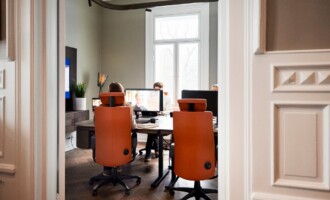
Employee workstation needs have drastically evolved over the past few years, with the rise of hybrid working and the focus of employee wellbeing becoming central to businesses. These factors have created a gap between what is provided to employees for their workstations with what they want. Learning to understand employees’ changing needs has many benefits, from improving employee retention to higher productivity levels.
Comfort is key, but it’s not one size fits all
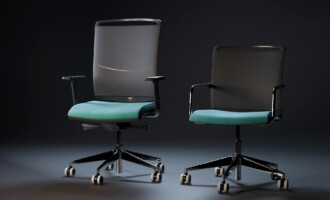
Comfort means different things to different employees. This means that providing standardised chairs and desks to all employees isn’t a fix-all solution. Different employee heights, weights, and preferences mean that adjustable equipment is the best way forward, as employees can tailor their equipment to be right for them.
All employees who use a screen for over an hour a day are legally required to undergo a DSE Assessment. These assessments can help to point out any factors that can help to improve employee comfort, such as footrests or specialist chairs. By investing in recommended equipment from a DSE Assessment report, it demonstrates that you care about employee wellbeing, making employees feel valued and fostering a culture a trust.
Flexibility matters
Adjustable furniture is seen as a must, not a luxury. There is a range of ways to support a flexible workstation, allowing employees to tailor their workstations for their comfort. Sit-Stand desks, adjustable monitor arms and having a supply of ergonomic accessories (lumbar supports, footrests, separate keyboards and ergonomic mice) available in the office give employees the opportunity to fine-tune their setup to their preferences.
Set-ups that support focus
Not only should workstations be adapted to ensure employees’ comfort, but they should also be adapted to support high focus levels.
If you have an open plan office where sound is often filled with telephone calls, noise can quickly creep up and cause distractions. Investing in acoustic solutions such as acoustic panels helps to reduce these noise distractions, allowing employees to focus on their workload and improve productivity.
Lighting also plays a big part in office productivity by influencing mood, alertness and affecting eye strain. Poor lighting, especially glare from screens, can lead to dry eyes, eye strain and headaches amongst employees. Having proper task lighting and natural light in offices is significantly effective at reducing these symptoms. Studies have shown that natural light can increase productivity by as much as 40%, as appropriate lighting allows employees to concentrate longer and work more accurately.
The role of office aesthetics
A well-organised workstation has a psychological impact. A clutter-free workstation minimises distractions through effective cable management and paper organisation, making it easier for employees to concentrate on their tasks.
Additional touches, such as plants, benefit workspaces through improving air quality, reducing stress and boosting productivity. Biophilic design, like indoor plants, adds touches of colour through offices, which helps to create a more relaxed atmosphere within offices.
Why this matters
Investing in your employee workstation needs shows a commitment to employee well-being. Happier employees are more likely to stay with a business, have fewer absences and perform better with their workload.
If you’re not sure where to start when it comes to meeting employee workstation needs, gather feedback by asking employees what they think works or doesn’t work at their workstation.
Our friendly team is more than happy to help you create workstations that work for your people. Contact us today by calling 0330 332 0880 or dropping us an email at enquiries@posturepeople.co.uk to see how we can help you transform workstations!