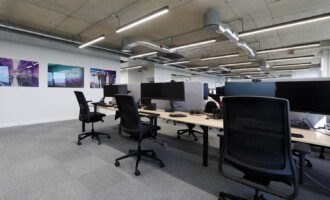
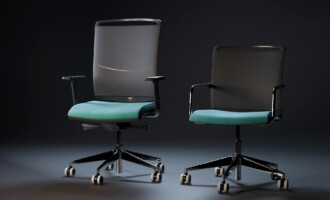
A well set up workstation should support comfort, productivity, and long term health. Yet in our experience working with businesses across the UK, many employees are still working at desks that are far from optimal. Small adjustments can make a significant difference, but these are often overlooked or misunderstood.
Here are the most common desk set up issues we see, and why they matter.
Chair height set incorrectly
One of the most frequent issues is chair height. Many people sit either too high, with their feet dangling, or too low, with their knees raised above hip level. Both positions place unnecessary strain on the body.
Ideally, feet should rest flat on the floor, with knees at roughly hip height. When this is achieved, it creates a stable base that supports the spine and reduces pressure on the lower back. If the desk height prevents this, a footrest can often help resolve the issue.
Screens positioned too low or too high
Screen positioning is another consistent problem. Laptops placed directly on desks encourage users to look down for long periods, which can lead to neck and shoulder discomfort. On the other hand, screens that are too high can cause users to tilt their heads upwards, creating a different kind of strain.
The top of the screen should generally be at or slightly below eye level, with the screen directly in front of the user. This encourages a neutral neck posture and reduces fatigue over the course of the day.
Working too far away from the desk
We often see people sitting too far back from their desks, reaching forward to use their keyboard and mouse. This creates tension in the shoulders and upper back, especially over extended periods.
Users should sit close enough so that their elbows remain by their sides, forming roughly a right angle when typing. This position allows the arms to relax and reduces strain on the upper body.
Poor keyboard and mouse placement
Keyboard and mouse positioning is frequently overlooked. When these are placed too far away, too high, or off to one side, it can lead to awkward wrist and arm positions.
Both should be positioned close to the user and on the same level, allowing the wrists to remain straight and the shoulders relaxed. The mouse should sit alongside the keyboard rather than being reached for.
Lack of lower back support
Even when a chair is adjustable, many users do not make full use of its features. A common issue is a lack of lumbar support, which can lead to slouching and discomfort over time.
The lower back should be supported to maintain the natural curve of the spine. This can often be achieved by adjusting the chair’s backrest or lumbar support, or by adding a separate support if needed.
Laptop-only working without accessories
With more flexible and hybrid working, we are seeing a rise in laptop-only setups. While convenient, this often leads to compromised posture, as the screen and keyboard are fixed together.
Using a separate keyboard and mouse, along with a laptop riser or stand, allows users to position their screen and input devices correctly. This simple change can dramatically improve comfort and reduce strain.
Not adjusting the workstation at all
Perhaps the most common issue of all is that people simply do not adjust their workstation. Chairs, screens, and accessories are often left in default positions, even when they are not suitable for the individual.
Every person is different, and workstations should be adjusted accordingly. Taking a few minutes to make these changes can prevent discomfort and support better working habits.
Why it matters
Poor workstation setup does not just lead to discomfort. Over time, it can contribute to musculoskeletal issues, reduced productivity, and increased absence from work. For employers, this has both human and financial implications.
The good news is that most of these issues are straightforward to fix. With the right guidance and a proactive approach, businesses can create environments where people feel comfortable, supported, and able to perform at their best.
If you need help ensuring your employees’ workstations are correctly set up, call us today on 0330 332 0330 to see how we can help improve comfort and productivity within your team.