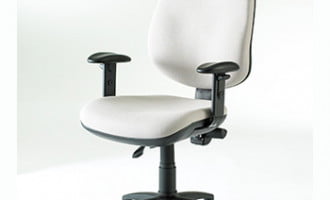
If your organization has invested in Nomi office chairs, ensuring employees know how to adjust them correctly is just as important as choosing the right chair in the first place.
Whether you’re an HR Manager, Facilities Manager or Procurement professional, providing easy access to manufacturer instructions helps employees make the most of their equipment, reduces unnecessary support requests and supports your Display Screen Equipment (DSE) programme.
Where can I download the Nomi office chair instructions?
Every Nomi office chair is supplied with a manufacturer’s instruction sheet explaining the chair’s adjustments and basic operation.
If the original guide has been misplaced, you can download a copy below for employees to reference or keep within your organisation’s DSE documentation.
Download the instructions here:
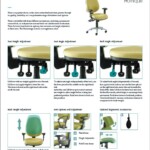
Many organizations also keep copies on their intranet or within their health and safety resources so employees can easily access them whenever they need them.
Why employers should provide chair instructions
One of the most common issues we see during workplace assessments is that employees simply aren’t using their chair correctly.
Often the chair itself is perfectly suitable, but key features such as:
- seat height
- backrest angle
- seat depth
- armrest position
- lumbar adjustment
have never been adjusted to suit the individual user.
Providing simple manufacturer instructions alongside your DSE programme encourages employees to make basic adjustments themselves before additional support is required.
Standardising office chairs across your organisation
Many businesses choose to standardize on one or two ergonomic chair models rather than purchasing different chairs for each employee.
This approach offers several advantages:
- employees become familiar with one adjustment system
- replacement parts and servicing are simpler
- facilities teams require less product knowledge
- procurement becomes more cost-effective
- new starters can be onboarded more quickly
The Nomi chair is particularly popular because it combines robust construction with intuitive adjustments, making it suitable for a wide range of office users.
When a standard chair isn’t enough
Whilst a quality ergonomic chair like the Nomi will suit many employees, no single chair is suitable for everyone.
Employees experiencing ongoing discomfort, existing musculoskeletal conditions or specific medical requirements may need additional support beyond standard equipment.
Rather than purchasing specialist seating immediately, we normally recommend arranging a DSE assessment first.
A qualified assessor can determine whether:
- simple chair adjustments will resolve the issue
- additional accessories such as a footrest or lumbar support are required
- another workstation adjustment would improve comfort
- specialist seating is genuinely necessary
This helps organisations avoid unnecessary expenditure while ensuring employees receive equipment that is appropriate for their individual needs.
Choosing the Nomi as a standard workplace chair
The Nomi continues to be a popular choice because it offers:
- durable construction suitable for daily commercial use
- high-quality cushioning that maintains support over time
- straightforward adjustments that employees can learn quickly
- reliability that reduces maintenance requirements
- a user weight capacity of up to 150kg (23.5 stone)
Although the initial purchase price may be higher than some budget alternatives, many organisations find the longer lifespan and reduced replacement costs deliver better value over the life of the chair.
Recommended products

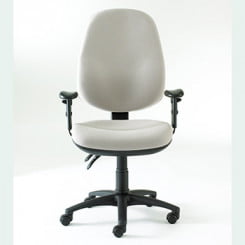
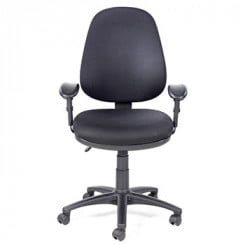
Nomi Extra High Back Chair
£312.00 (ex VAT)Nomi High Back Chair
£268.00 (ex VAT)
How to use the Nomi chair adjustments
The Nomi chair is designed to support a wide range of users with simple, intuitive controls. Below is a summary of the key adjustments, based on the manufacturer’s instruction sheet.
Seat height adjustment
The seat height is controlled by a lever on the right hand side underneath the seat.
Lift the lever with no weight on the chair to raise the seat. Lift the lever whilst sitting to lower it. This allows users to position their feet flat on the floor with knees at roughly hip height.
Back angle adjustment
To adjust the backrest independently, use the rear lever on the right hand side under the seat.
Leaning back whilst lifting the lever allows the backrest to move freely. This free float mode is particularly useful as it encourages natural movement throughout the day. Push the lever down to lock the backrest in your preferred position.
A tension control wheel is also included to adjust resistance based on body weight.
Seat angle adjustment
The seat angle can be adjusted using the middle lever on the right hand side.
Lift the lever to unlock the seat, shift your weight to find a comfortable angle, then push the lever down to lock it into place.
Back height adjustment
The backrest height uses a ratchet system.
Lift the backrest upwards in stages until it reaches the desired height. If you need to lower it, raise it to the top position and it will reset back to the lowest setting.
Arm adjustments
Depending on the model, the Nomi may include fixed arms, height adjustable arms, or fold down arms.
For height adjustable arms, press and hold the button on the outside of the arm to raise or lower it, then release to lock.
Fold down arms can be lowered by pressing the button near the base and folding the arm down into position.
Optional ergonomic features
Some Nomi chairs include additional ergonomic features:
Lumbar support can be adjusted by pumping the bulb under the seat to increase support, then pressing the release button to deflate.
Seat depth can be changed by lifting the paddle labelled lift and sliding the seat to the desired position.
Headrests, where included, can be adjusted for both height and angle to suit the user.
These features are particularly useful for DSE compliance and ensuring each user can tailor the chair to their needs.
Supporting your DSE programme
Providing employees with manufacturer instructions is only one part of an effective workstation strategy.
A successful DSE programme should also include:
- guidance on setting up chairs, monitors and desks
- access to qualified DSE assessors where required
- a clear process for requesting additional equipment
- regular reviews following changes in role or health
This ensures standard equipment is used effectively while providing an escalation route for employees with more complex ergonomic requirements.
Need advice on office seating?
If you’re reviewing your workplace seating, standardising office chairs across multiple sites or supporting employees with DSE requirements, our team can help.
We work with organisations across the UK to provide ergonomic chair recommendations, DSE assessments and workplace equipment that supports both employee wellbeing and long-term value for employers.